What is a salon POS system?
A POS (point of sale) is where a visit turns into money. In a salon that is harder than in a shop: a cut with one stylist, a colour with another, a shampoo, part paid by gift voucher. A good salon POS keeps it all on one bill and remembers who did what.
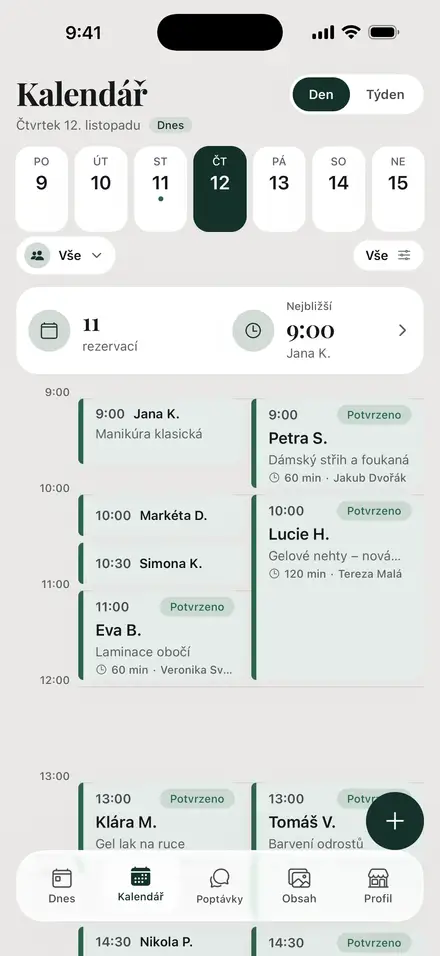
In YourSalon the till is connected to the calendar. You open the bill from the booking — services, price and team member are already there. Add a product, choose how the client pays, and the receipt gets its own number.
Why a POS pays off for a salon
Salons that move from a notebook to a POS say the same thing: the money adds up without an evening of counting.
- No double entry. The booking becomes the bill; no visit goes unpaid by mistake.
- A receipt for every payment. Numbered in sequence, e-mailed to the client on request.
- Commissions without a spreadsheet. Each line belongs to a team member, so earnings are calculated, not guessed.
- A clean end of day. The Z-report shows cash, card terminal and transfers.
- Decisions from numbers. Sales by service, person and day show what really earns.
Try it: ring up a visit
Pick a team member, tap services and a product, choose how the client pays. The receipt and commission update instantly.
YOURSALON
Receipt · No. 2026-000148
- Women's cut & blow-dry€45.00
- Repair shampoo 250 ml€22.00
- Subtotal
- €67.00
- Total
- €67.00
- incl. VAT 20 %
- €11.17
- Paid by
- Own card terminal
Commission for this visit
€20.20
Anna
Salon keeps: €46.80
Counted from what the client actually paid for each line, after the bill discount.
Demo with sample prices. Nothing is saved or sent.
What the POS counts for you
Behind the till, every sale lands in reports the owner would otherwise build by hand:
| What it counts | Why it matters |
|---|---|
| Shift and Z-report | Cash, terminal and transfers at closing — gaps show the same day. |
| Cash in and out | Change float or a withdrawal, each with a note. |
| Sales by service and day | Which services fill the till, not just the calendar. |
| Sales by team member | Turnover and commission per person, any period. |
| Refunds and corrections | Each keeps its own record — nothing is deleted. |
| Vouchers and loyalty | Vouchers redeemed in parts; points added per sale. |
How a payment goes through, step by step
From booking to closing, every visit follows six steps.
- 1
Booking
The client books online or you add the visit.
- 2
Visit
The booking already holds the services and price.
- 3
Bill
Open it from the booking, add a product or a discount.
- 4
Payment
Cash, your own card terminal or transfer. YourSalon does not take the money — it records it.
- 5
Receipt
Numbered, e-mailed to the client if they wish.
- 6
Close
The shift closes; the Z-report shows every amount.
How team members get paid: commissions and payouts
Each line of a bill belongs to the person who did the service or sold the product. You set a commission rate per person, and a different one per service category if needed. It is counted from what the client actually paid for that line, so a bill discount lowers it fairly.
The staff report shows each person's turnover, commission and what was already paid out. A payout is recorded in one dialog and exported as CSV for your accountant. If a product is returned later, its commission is taken off in the month of the refund — a month already paid stays untouched.
Why a connected POS beats a standalone register
A classic register knows amounts, not the booking, the client or the stylist. A connected POS knows all three, so it answers what owners ask: who earns most, which service pays best, what each person is owed.
- No hardware: browser plus the YourSalon app on iPhone and Android.
- Calendar, client card and till share one record.
- Seven languages, prices in your currency.
- The till is on every plan, the free one too.
What it costs: free up to 30 bookings a month
Till, receipts, Z-report, commissions and payouts are on every plan. You pay only when the salon grows.
Basic
€0.00
Till included
Solo
€12.50/month
Till included
Professional
€24.99/month
Till included
Unlimited
€49.90/month
Till included
Up to 30 bookings a month and one login — the till costs nothing.
First month 50% off on paid plans.
Create a free accountCountry rules: does your salon need a certified register?
Receipt rules are national. How YourSalon fits the common cases:
| Country | What the law asks | With YourSalon |
|---|---|---|
| Czechia | EET 2.0 from 1 January 2027: cash, card and voucher payments are reported. | Built in on Unlimited, with your own certificate. |
| Slovakia | Receipts from a certified eKasa device. | Keep eKasa; YourSalon runs bookings and commissions next to it. |
| Poland | Hair and beauty services need an online fiscal register. | Not a fiscal register — works next to your kasa fiskalna. |
| Germany | Electronic tills need a certified TSE module. | Not a TSE till — works next to your certified register. |
| Austria | A register from €15,000 turnover, over €7,500 in cash. | Not an RKSV register — works next to yours. |
| Other countries | Some need a certified device, others proper receipts. | Ask your accountant; reports and payouts work everywhere. |
General information, not tax advice. Check the current rules for your country.
Questions owners ask
Is the YourSalon POS really free?
Yes. The till, Z-report, commissions and payouts are on every plan. Free covers 30 bookings a month and one login.
Do I need special hardware?
No. It runs in a browser and in the YourSalon app. Clients pay by card on the terminal you already have.
Can every team member have a different commission?
Yes — per person and, if needed, per service category.
Can I ring up a sale from my phone?
Yes, the app rings up sales and e-mails the receipt. Refunds and the Z-report are in the web version.
Is it a fiscal cash register?
In Czechia, EET 2.0 is built in on Unlimited. Elsewhere YourSalon is not a certified fiscal register and works next to one.
Open your till today
Create a free account, add services and team, and ring up the first visit in minutes.
Start freeYou continue on the YourSalon platform, in your language.
All POS features on yoursalon.czUpdated: